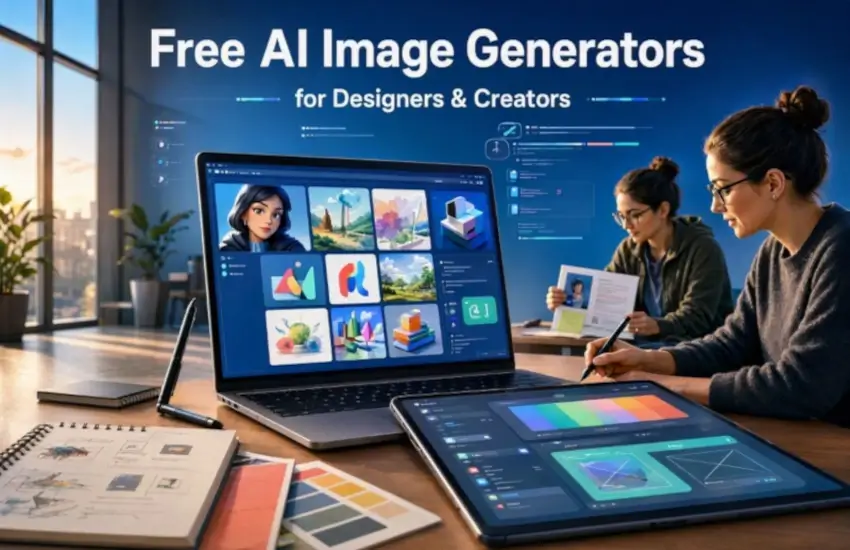
In this useful article, I guide you through the best free AI Image Generators for Designers and Creators. Creating professional-looking images used to require expensive software, advanced design skills, stock photography subscriptions, or hours of manual editing. Today, AI has changed the creative process completely.
With a good AI image generator, designers, bloggers, marketers, artists, developers, and content creators can turn a simple text description into an original visual within seconds. Whether you need a website hero image, social media graphic, product mockup, concept illustration, blog featured image, poster, or creative artwork, free AI image generation tools can dramatically speed up the process.
The good news is that you do not always need an expensive subscription to get started. Many of the most popular free AI image generators provide free credits, daily allowances, limited generations, or free access to their basic features.
However, every tool has different strengths. Some are better for realistic images, while others are excellent at typography, illustrations, creative concepts, editing, or professional design workflows.
In this guide, we will explore some of the best free AI image generators for designers and creators, what each tool is good at, and how you can choose the right one for your creative workflow.
What Is an AI Image Generator?
An AI image generator is a software tool that uses artificial intelligence to create images from text instructions, reference images, or other inputs.
For example, you could type:
"A modern minimalist workspace with a laptop, warm natural lighting, indoor plants, professional photography style."
The AI analyzes the description and generates an image based on the instructions.
Modern image generators can do much more than simply create an image from text. Many can also:
- Edit existing images
- Remove or replace backgrounds
- Change objects and colors
- Expand an image beyond its original boundaries
- Create different visual styles
- Generate product concepts
- Create illustrations
- Produce social media graphics
- Add text to images
- Create multiple variations of an idea
This makes AI image generation particularly useful for designers and creators who need to experiment quickly.
Why Designers and Creators Are Using AI Image Generators
One of the biggest advantages of AI image generation is speed.
A designer might normally spend several hours searching stock libraries, finding suitable photographs, downloading assets, removing backgrounds, and modifying images. With an AI tool, the same creative idea can often be explored in a few minutes.
AI does not necessarily replace the designer. Instead, it can become another tool in the designer's workflow. You also like AI Video Generator for YouTube, 50 AI Video Prompts for YouTube, and the WebDecky Marketplace website.
For example, a graphic designer can use AI to create initial concepts and then refine the selected image in Photoshop, Illustrator, Figma, Canva, or another design application.
A blogger can generate a custom featured image instead of using the same stock photograph found on hundreds of other websites.
A small business can create product concepts, advertising visuals, social media posts, and promotional artwork without hiring a photographer for every idea.
That flexibility is one reason AI image generators for designers and creators have become so popular.
Best Free AI Image Generators for Designers and Creators
There is no single AI image generator that is perfect for every project. The right option depends on whether you care most about realism, typography, editing, creative control, design integration, or the number of free generations available.
Here are some of the major tools worth exploring.
1. ChatGPT Images
ChatGPT has become a convenient option for people who want to create and edit images using natural language.
The current ChatGPT Images experience supports both image creation and editing. Users can describe what they want, upload an existing image for editing, and request changes using ordinary language. It can also work with different aspect ratios and generate images containing text.
This conversational workflow is especially useful for beginners because you do not need to learn a complicated interface before creating your first image.
For example, instead of adjusting dozens of settings, you can ask for:
"Create a clean 16:9 technology illustration for a blog article about artificial intelligence, with a dark futuristic background and enough space on the left for a headline."
You can then continue refining the result.
Best for:
- Beginners
- Blog images
- Creative concepts
- Image editing
- Marketing visuals
- Custom illustrations
- Rapid experimentation
ChatGPT is particularly useful when you want to work through an idea conversationally rather than simply entering one prompt and accepting the first result.
2. Google Gemini
Google Gemini is another important option for people looking for a free AI image generator.
Gemini supports image creation and editing through its image-generation capabilities. Google's current documentation describes the ability to generate and refine images using Nano Banana 2, although availability can vary depending on account type, country, language, and other factors.
One advantage of a conversational image generator is that you can describe changes naturally.
For example:
"Keep the same character, but change the background to a modern city at sunset and make the lighting warmer."
This type of iterative workflow can be useful for creators developing a visual concept over several revisions.
Best for:
- Concept development
- Creative experimentation
- Image editing
- Realistic scenes
- Social media content
- General-purpose AI artwork
Always check Google's current usage and availability terms before using generated material for important commercial projects.
3. Adobe Firefly
Adobe Firefly is particularly interesting for professional designers because it is designed around Adobe's broader creative ecosystem.
Firefly can generate images from text prompts and is closely connected to Adobe's creative tools. Its emphasis on commercially oriented creative workflows makes it attractive to freelancers, agencies, marketers, and professional designers.
Adobe has also emphasized the provenance of the training data used for its Firefly models. Free access is available with limitations, while paid plans provide additional benefits and credits. Commercial and legal considerations can vary depending on the specific plan and feature, so designers should review Adobe's current terms before using Firefly outputs in important client work.
Best for:
- Professional designers
- Advertising concepts
- Brand visuals
- Creative agencies
- Commercial design workflows
- Adobe users
If you already work with Photoshop or other Adobe products, Firefly can fit naturally into an existing creative workflow.
4. Ideogram
If your design needs text inside an image, Ideogram is one of the AI image generators worth testing.
Typography has historically been a difficult problem for image-generation models. An image might look beautiful while the text on a poster, advertisement, logo concept, or sign is completely wrong.
Ideogram has built a strong reputation around text rendering and typography-focused image creation. Current free access is limited, and the exact free-plan allowances can change over time.
This makes Ideogram particularly useful for creating:
- Posters
- Social media graphics
- Thumbnail concepts
- Typography experiments
- Logo concepts
- Advertising ideas
- Promotional banners
For example, you could ask for a modern promotional poster containing a specific headline and visual theme.
Best for:
Text-to-image designs where readable typography matters.
5. Leonardo.Ai
Leonardo.Ai is popular among digital artists, game designers, concept artists, and creators who want more control over their generated artwork.
It provides a creator-oriented environment where users can experiment with different models, styles, and generation settings.
Free access is available with usage limits, and the exact allowance can change as the platform evolves. Current 2026 comparisons commonly highlight Leonardo for creators who want to generate many variations and experiment with different visual styles.
Leonardo can be particularly interesting for:
- Fantasy artwork
- Character concepts
- Game assets
- Concept art
- Digital illustrations
- Creative product artwork
Best for:
Creators who want more experimentation and control than a simple text-to-image interface provides.
6. Canva AI
Canva is already one of the most widely used design platforms, so adding AI image generation to the design workflow makes sense.
Canva's AI features can help users generate visual elements while working on presentations, social media posts, posters, advertisements, thumbnails, and other designs.
The major advantage is not necessarily generating the most artistic standalone image. Instead, it is the ability to generate an asset and immediately place it inside a larger design.
For a social media creator, that workflow can save considerable time.
You might generate an AI background, add it to a Canva design, place your headline on top, insert a logo, adjust colors, and export the final graphic without moving between multiple applications.
Best for:
- Social media posts
- Presentations
- Marketing graphics
- YouTube thumbnails
- Posters
- Quick business designs
- Beginners
For creators who prefer an all-in-one design workflow, Canva AI can be more convenient than using a dedicated image generator alone.
7. Microsoft Designer and Image Creation Tools
Microsoft's AI-powered design tools are another option for people who want to create images without investing in professional design software.
Microsoft's ecosystem has included AI image creation features that make it possible to generate visuals from text prompts and incorporate them into creative projects.
These tools can be useful for beginners who need quick graphics rather than advanced professional control.
Best for:
- Beginners
- Quick social media graphics
- Marketing concepts
- Illustrations
- Simple promotional visuals
- Everyday creative projects
The exact free limits and available models can change, so users should check Microsoft's current terms and interface before planning a large production workflow.
What Makes a Good Free AI Image Generator?
"Free" does not always mean the same thing.
Some platforms provide a certain number of free credits every day. Others provide weekly or monthly credits. Some allow unlimited low-priority generation, while others offer a limited number of high-quality generations.
Before choosing an AI image generator, consider these factors.
1. Image Quality
Quality should be your first consideration.
Look at details such as:
- Faces
- Hands
- Lighting
- Text
- Shadows
- Product details
- Background consistency
- Fine textures
A beautiful image in one example does not necessarily mean the tool will consistently produce good results.
2. Free Usage Limits
Check how the free plan actually works.
A platform may advertise itself as free but provide only a small number of generations.
Other services may offer daily credits, weekly credits, or slower generation after the fast credits have been used.
If you plan to create dozens of images every week, the free quota becomes very important.
3. Commercial Usage
This is one of the most important considerations for designers and digital product creators.
If you are creating images for a client, website, advertisement, digital product, printable, or online store, do not assume that "free" automatically means unrestricted commercial use.
Licensing rules can differ between platforms, models, and subscription levels.
Always check the current terms of the specific AI image generator before selling or redistributing generated artwork.
4. Image Editing
Generating a good first image is useful, but editing can be even more important.
Look for features such as:
- Background replacement
- Object removal
- Image expansion
- Inpainting
- Style changes
- Reference images
- Character consistency
- Aspect-ratio changes
These features can turn an AI image generator into a much more powerful design assistant.
5. Text Rendering
If you create posters, advertisements, thumbnails, logos, book covers, or social media graphics, text rendering matters.
A tool that produces beautiful images but constantly misspells your headline may create more work rather than save time.
This is why specialized tools such as Ideogram can be useful for typography-heavy projects.
How to Write Better AI Image Prompts?
The quality of an AI-generated image depends heavily on how clearly you communicate your idea.
You do not need extremely complicated prompts. A useful prompt can describe five basic things:
Subject + environment + composition + lighting + style
For example:
"A premium modern desk setup with a laptop, notebook, and coffee cup in a minimalist studio, photographed from a slightly elevated angle, soft morning light, clean professional commercial photography."
This is more useful than simply writing:
"Modern desk."
You can also specify the purpose of the image.
For example:
"Create a 16:9 blog header for an article about AI image generators. Use a modern futuristic workspace, blue and purple lighting, realistic photography, clean composition, and leave negative space on the right for the article title."
The more clearly you describe the intended result, the easier it becomes for the AI model to understand the design objective.
AI Image Generators Are Useful for More Than Artwork
Many people initially think AI image generators are only for creating digital art.
In reality, designers and creators can use them for many practical tasks.
1. Website Design
Generate hero images, backgrounds, illustrations, icons, and visual concepts for landing pages.
2. Blogging
Create unique featured images and supporting graphics for blog articles.
3. Social Media
Generate backgrounds, promotional graphics, campaign concepts, and creative illustrations.
4. Digital Products
Creators can experiment with printable artwork, wall art, templates, covers, illustrations, and other digital products.
5. Marketing
AI can help generate advertising concepts, product scenes, lifestyle images, and campaign variations.
6. Branding
Designers can use AI to explore moodboards, visual directions, color concepts, packaging ideas, and brand imagery.
7. Education
Teachers and content creators can generate illustrations and diagrams to make educational material more engaging.
Tips for Getting Better Results
If your first AI-generated image is not perfect, do not immediately abandon the tool.
Try improving the prompt.
Instead of changing everything at once, modify one element at a time.
For example:
First prompt:
Create a modern office.
Improved prompt:
"Create a bright modern home office with a wooden desk, large window, indoor plants, laptop, warm natural morning light, minimalist interior design, realistic professional photography."
You can then refine the composition:
"Use a wide 16:9 composition with the desk positioned toward the left and clean space on the right."
This iterative process usually produces better results than trying to describe every possible detail in one enormous prompt.
Which Free AI Image Generator Should You Try?
The best choice depends on your specific project.
- If you want a conversational workflow and easy image editing, ChatGPT Images is worth exploring.
- If you want general-purpose image creation and conversational editing, Google Gemini is another strong option.
- If you are a professional designer concerned about commercial creative workflows, Adobe Firefly deserves consideration.
- If your project depends heavily on readable text inside images, Ideogram is particularly useful.
- If you want creator-focused experimentation and different artistic styles, Leonardo.Ai is worth testing.
If you need to create a complete social media or marketing design rather than just an isolated image, Canva AI can be convenient. And if you want a straightforward option for everyday creative experimentation, Microsoft's AI design tools are another alternative. Rather than looking for one tool that does everything, many professional creators use several AI image generators depending on the project.
Conclusion
The rise of free AI image generators has made visual creation dramatically more accessible. You no longer need to be an expert illustrator or professional photographer to experiment with creative ideas. A simple prompt can produce a starting point for a website design, blog article, advertisement, social media post, product concept, presentation, or digital artwork. The most important thing is to choose the tool according to your actual needs.
Consider image quality, free usage limits, editing features, text accuracy, creative control, privacy, and commercial licensing before building an important project around any platform.
Most importantly, treat AI as a creative assistant rather than a replacement for your design judgment. The strongest results often come from combining AI-generated ideas with human editing, typography, composition, branding, and visual storytelling.
As AI image generation continues to improve, designers and creators have an increasingly powerful set of tools for turning ideas into visuals quickly. Whether you are creating your first AI artwork or building a professional content workflow, experimenting with several free AI image generators can help you discover which approach works best for your creative process.


Comments (0)
No comments yet. Be the first to comment!
Leave a Comment