
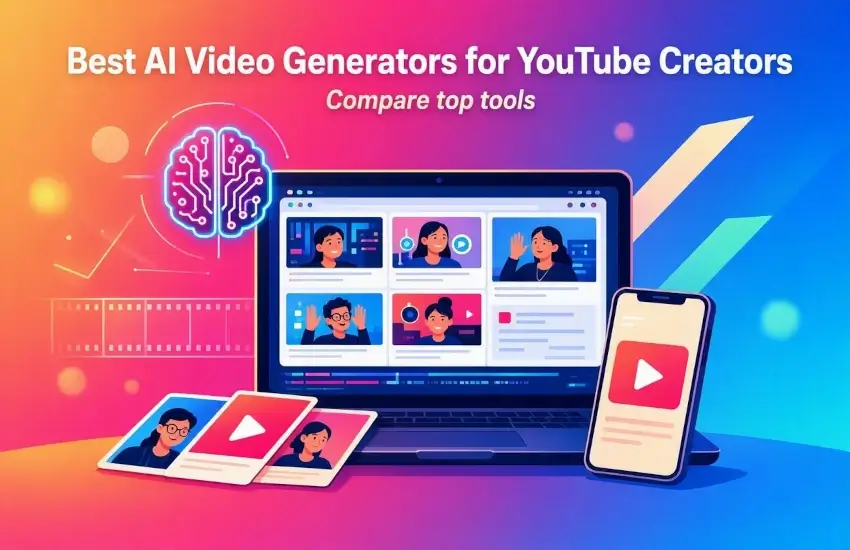
In this useful article, I guide you through the best AI Video Generators for YouTube Creators in 2026. Creating videos for YouTube used to require expensive cameras, editing software, microphones, stock footage, and hours of editing. Today, AI video generators can handle much of that work in minutes. From writing a script and generating visuals to creating voiceovers, avatars, captions, and complete videos, AI is changing how creators produce content.
However, choosing the right AI video generator can be difficult because each platform is designed for a different type of workflow. Some are excellent for faceless YouTube channels, while others focus on AI presenters, cinematic footage, Shorts, or turning existing articles into videos.
In this guide, we look at the best AI video generators for YouTube creators in 2026, what each tool is best for, and how to choose the right one for your channel.
What Is an AI Video Generator?
An AI video generator is a tool that uses artificial intelligence to create or assemble video content from text, images, scripts, or other media.
Depending on the platform, you can provide a simple prompt such as:
"Create a 5-minute YouTube video explaining how artificial intelligence is changing online businesses."
The AI can then help create scenes, narration, subtitles, music, stock footage, animations, or even an AI presenter.
Modern platforms are increasingly moving beyond simple text-to-video generation toward complete production workflows. Current comparisons show tools specializing in different stages, including generation, AI presenters, editing, repurposing, and finishing.
1. HeyGen – Best for AI Presenter Videos
HeyGen is one of the strongest choices for creators who want an AI presenter without recording themselves on camera.
You can create videos using digital avatars, AI voices, scripts, and multilingual capabilities. This makes it useful for educational channels, tutorials, product demonstrations, business content, and news-style videos.
HeyGen's current YouTube workflow focuses on creating presenter-led videos as well as other video formats, making it particularly attractive for creators who want to build a recognizable presentation style without traditional filming.
Best for:
- AI presenter YouTube channels
- Educational videos
- Tutorials
- Product explanations
- Multilingual content
Why choose it: It can significantly reduce the need for cameras, lighting, and on-camera recording.
2. InVideo AI – Best for Faceless YouTube Videos
InVideo is designed for creators who want to turn an idea or prompt into a complete video.
It can help assemble scripts, scenes, stock footage, narration, music, and captions. This makes it particularly useful for faceless YouTube channels, where the creator doesn't need to appear on camera.
Recent 2026 comparisons continue to rank InVideo highly for prompt-to-video workflows because it can produce a usable first draft from relatively little input.
Best for:
- Faceless channels
- Explainer videos
- List videos
- Educational content
- Beginner creators
If your goal is to type a topic and quickly receive a complete first draft, InVideo AI is one of the easiest options to consider.
3. Runway – Best for Cinematic AI Video
Runway takes a different approach. Rather than simply assembling stock footage, it is designed for generating original visual content.
It is particularly useful for cinematic B-roll, creative storytelling, image-to-video generation, and visually impressive scenes. Current 2026 evaluations continue to place Runway among the leading choices for serious creative video production. Also read and get benefits from our useful YouTube articles such as YouTube Video Tag Generator, YouTube Video Tag Extractor, YouTube Description Generator, and YouTube Description Extractor.
Best for:
- Cinematic YouTube videos
- Storytelling
- Music videos
- AI-generated B-roll
- Creative channels
- Fantasy and science-fiction content
The main advantage is creative control. Instead of searching through stock libraries, creators can generate visuals specifically for their story.
4. Synthesia – Best for Educational and Business Videos
Synthesia is well known for AI presenter videos and structured educational content.
It can be a strong option for creators producing tutorials, software guides, training videos, business explainers, and professional educational content.
Synthesia is especially useful when you want a consistent digital presenter rather than a cinematic video-generation workflow. Recent comparisons continue to distinguish it from creator-focused platforms by emphasizing structured training and business use cases.
Best for:
- Educational YouTube channels
- Software tutorials
- Business explainers
- Training content
- Professional presentations
5. Pictory – Best for Blog-to-Video Content
Pictory is a useful choice for creators who already have written content.
Instead of starting with a blank video project, you can work from scripts, articles, or other text and transform that material into video content with narration, visuals, and captions.
This makes Pictory particularly attractive to bloggers and website owners who want to turn existing written content into YouTube videos. Its current positioning specifically emphasizes script, blog, and URL-to-video workflows.
Best for:
- Blog-to-video
- Educational content
- Faceless channels
- Content repurposing
- Marketing videos
For website owners, this can be a powerful way to get additional value from existing articles.
6. Google Veo – Best for Realistic AI Video Scenes
Google's Veo models are another important option for creators interested in high-quality generated footage.
Veo is particularly relevant when you need realistic scenes, cinematic shots, and increasingly sophisticated generated audio. Current 2026 comparisons identify Google Veo among the leading choices for cinematic realism and native audio.
Best for:
- Cinematic scenes
- Realistic B-roll
- Storytelling
- Creative experiments
- AI-generated visual sequences
For creators who want original footage rather than traditional stock video, this category of AI model can add something very different to a YouTube workflow.
7. CapCut – Best for Editing and YouTube Shorts
CapCut is especially popular among creators who produce short-form content.
While it isn't simply a text-to-video generator, its AI-powered editing features make it useful for adding captions, trimming clips, creating effects, and preparing videos for YouTube Shorts.
Current comparisons continue to highlight CapCut as a practical finishing and Shorts-oriented tool.
Best for:
- YouTube Shorts
- Captions
- Quick editing
- Social media videos
- Mobile-friendly workflows
A creator can generate footage using one AI platform and then use CapCut as the final editing stage.
8. Descript – Best for Editing Videos With AI
Descript is different from traditional AI video generators. It focuses more on editing existing recordings and using AI to simplify the editing process.
For creators who record podcasts, interviews, tutorials, screen recordings, or talking-head videos, this can be extremely useful.
AI-assisted editing can make tasks such as transcription, cutting sections, and improving the overall production workflow much faster. Current 2026 comparisons describe Descript primarily as an AI-powered editor rather than a pure video generator.
How to Choose the Best AI Video Generator for YouTube?
The best AI video generator depends on the type of channel you want to build.
YouTube Goal | Recommended Tool |
Faceless videos | InVideo AI |
AI presenter | HeyGen |
Educational videos | Synthesia |
Blog-to-video | Pictory |
Cinematic visuals | Runway |
Realistic generated scenes | Google Veo |
YouTube Shorts | CapCut |
Editing recorded videos | Descript |
You don't necessarily need to use only one platform. In fact, many creators can get better results by combining different tools. For example, you could write a script with an AI writing assistant, generate cinematic B-roll with Runway, create narration with an AI voice tool, edit the footage in CapCut, and design the thumbnail separately.
AI Video Workflow for YouTube Creators
A simple AI-powered YouTube workflow can look like this:
Step 1: Choose a topic
Find a topic that people are actively searching for and that fits your channel.
Step 2: Write the script
Create a useful, original script with a strong introduction, clear sections, and a compelling conclusion.
Step 3: Generate the visuals
Use an AI video generator for B-roll, animations, stock footage, or original scenes.
Step 4: Add narration
Use your own voice or an AI voice that sounds natural and matches the content.
Step 5: Edit the video
Remove unnecessary sections, improve pacing, add captions, music, transitions, and supporting visuals.
Step 6: Create the thumbnail
Your thumbnail is extremely important because it influences whether people click on your video.
Step 7: Optimize for YouTube
Use a descriptive title, compelling description, relevant keywords, chapters where appropriate, and an engaging thumbnail.
Can AI Really Replace a YouTube Creator?
Not completely.
AI can make video production faster, but it doesn't automatically make a video interesting. A successful YouTube channel still needs good ideas, useful information, strong storytelling, originality, and an understanding of its audience.
The best approach is to use AI as a production assistant rather than a complete replacement for creativity. Current evaluations also emphasize that there is no single AI tool that performs every part of the YouTube workflow equally well.
Creators who combine AI automation with their own ideas, opinions, experience, and editing decisions are more likely to produce content that feels authentic.
Conclusion
The best AI video generator for YouTube depends on what you want to create.
If you want complete faceless videos, InVideo AI is a strong starting point. If you want an AI presenter, HeyGen is worth considering. For professional educational content, Synthesia is a good fit. Pictory is useful for turning existing articles into videos, while Runway and Google Veo are better suited to original and cinematic visuals. For Shorts and final editing, CapCut can be a practical addition to your workflow.
The biggest advantage of AI video tools isn't simply generating videos faster. It is giving individual creators access to production capabilities that previously required a camera crew, editor, voice artist, and expensive software.
With the right workflow, a single creator can research an idea, write a script, generate visuals, produce narration, edit the video, create a thumbnail, and publish a professional-looking YouTube video far more efficiently than before.

Comments (0)
No comments yet. Be the first to comment!
Leave a Comment